Let’s create a virtual machine in Azure that has an imaged copy of SQL Server on it. I want to do this because down the line I want to show how you can setup automated backups to a storage account based on an IaaS extension, when I do that I will most likely talk about the different backup options because there are many.
Tag Archives: SQL server
SQL Server Management Studio
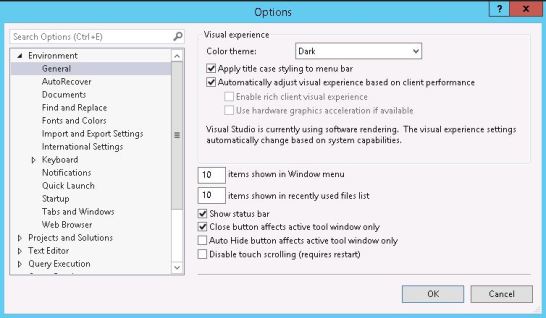
Hopefully you know that SSMS is a separate install from the main SQL Server install. You can find the binaries from Microsoft (https://docs.microsoft.com/en-us/sql/ssms/download-sql-server-management-studio-ssms) Using SSMS version 18.2, whilst playing around with the options I noticed a dark theme was available, easy to say I got a little excited, then I didn’t.

SQL server and Java?
I was generally reading about SQL Server and how things have changed since the days of just having it within a Windows Eco-system only. It then led me to a cool website, SQL Server development – build an app using SQL server where you can get to see the high-level requirements of starting to build a solution based on a wide variation of languages and operating systems. https://www.microsoft.com/en-us/sql-server/developer-get-started/
There are many combinations possible with SQL Server being the back-end database of choice.
SQL Server 2019 Suspend/Resume TDE
Yes, a really nice new shiny feature where we have the ability to suspend and resume the encryption scan for TDE – Transparent Data Encryption which is available in SQL Server 2019. (Tested against the latest version CTP 2.4)
SQL Server – max server memory
Another re-post of a video from last year, this time showing you an in-built protection of setting max server memory for your SQL Server. You can clearly see that if you enter a silly figure such as 50 MB, the minimum memory amount allowable for max server memory is 128 MB. You will see SSMS (SQL Server Management Studio) change it to 128MB.