It is always a good idea to test your failover processes when you have setup failover groups in Azure. I have the following setup:
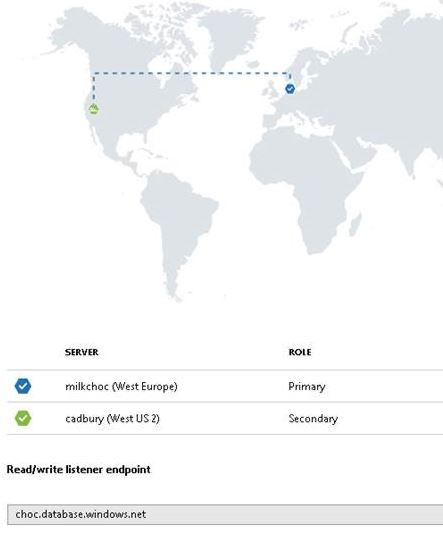

It is always a good idea to test your failover processes when you have setup failover groups in Azure. I have the following setup:
Okay honestly I have done this once. I have deleted Azure SQL Databases and then try and find the quickest way to recover. The Azure portal is actually pretty good when it comes to deleting resources, for example it will usually ask you to re-type the name of the resource to confirm deletion, so you can tell what a bad mistake I made.
The infamous setting that we all know and love – MAXDOP. Did you know that you can actually control MAXDOP when using Azure SQL Database? You might not be able to tinker with the Cost Threshold for Parallelism setting but you sure can with MAXDOP.
In my mind there are a couple of ways to move a database across resource groups. They vary from scripting to just using the Azure portal. I am going to use the Azure portal and do the following.
It’s just like a “backup and restore” strategy, all with the assumption that you are working within the same subscription ID.
I use elastic pools. They are a fabulous way of saving money when running many Azure SQL Databases, that is assuming you understand the resource utilization patterns of the databases involved.
 All About Tech