Microsoft and Oracle recently announced a joint cloud partnership (I have seen the word multi/cross-cloud to explain this) which I found very fascinating to read. It is currently in preview and the idea is to have an integrated cloud experience between Oracle Cloud and Microsoft Azure. A private dedicated connection is obviously needed and whilst knowing more about Azure, looking at the below diagram it makes sense (from an architecture POV) as the Oracle equivalent of ExpressRoute is FastConnect which is needed.
Azure SQL Database Clustered Columnstore Index
You can read about columnstore indexes here (https://azure.microsoft.com/en-gb/blog/transforming-your-data-in-azure-sql-database-to-columnstore-format/). I won’t rehash the material but high level, these index types are optimized for analytical queries and high compression of data (up to 100x). This format is perfect for the large data sets that can be efficiently compressed using this format and analytical queries with complex calculations that use subset of the table columns.
SQL Server Management Studio
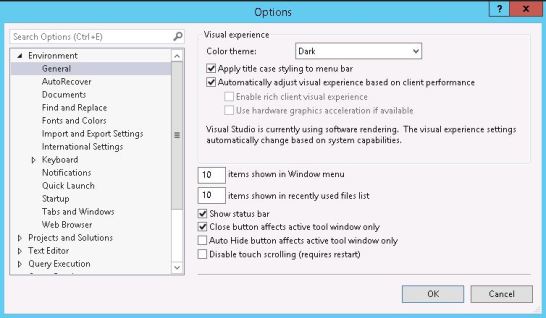
Hopefully you know that SSMS is a separate install from the main SQL Server install. You can find the binaries from Microsoft (https://docs.microsoft.com/en-us/sql/ssms/download-sql-server-management-studio-ssms) Using SSMS version 18.2, whilst playing around with the options I noticed a dark theme was available, easy to say I got a little excited, then I didn’t.

SQL server and Java?
I was generally reading about SQL Server and how things have changed since the days of just having it within a Windows Eco-system only. It then led me to a cool website, SQL Server development – build an app using SQL server where you can get to see the high-level requirements of starting to build a solution based on a wide variation of languages and operating systems. https://www.microsoft.com/en-us/sql-server/developer-get-started/
There are many combinations possible with SQL Server being the back-end database of choice.
Azure SQL Database Connect and Query
There is a lightweight and quick way to start querying your database in Azure which doesn’t involve SQL Operations Studio or Management Studio. You can use the query editor within the Azure portal, that is, if you desire.